Aiuto dell'app Unico Trento
Con l'app Unico Trento (iPhone e Android) ordini le pizze della pizzeria Unico di Via Piave 38 a Trento, scegli quando ritirarle e paghi con la carta. Qui trovi come si usa e le risposte alle domande più frequenti.
Come si ordina
-
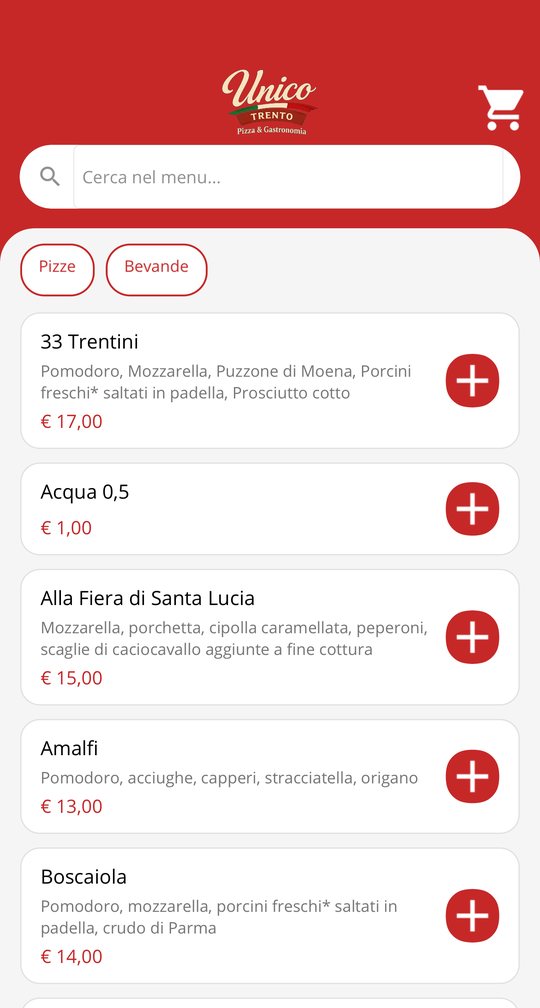
1. Scegli dal menu
Nella scheda Menu trovi pizze, bevande e prodotti del contadino con prezzi e ingredienti. Puoi cercare per nome o ingrediente e filtrare per categoria. Tocca un prodotto per vederne i dettagli, oppure il + per aggiungerlo.
-
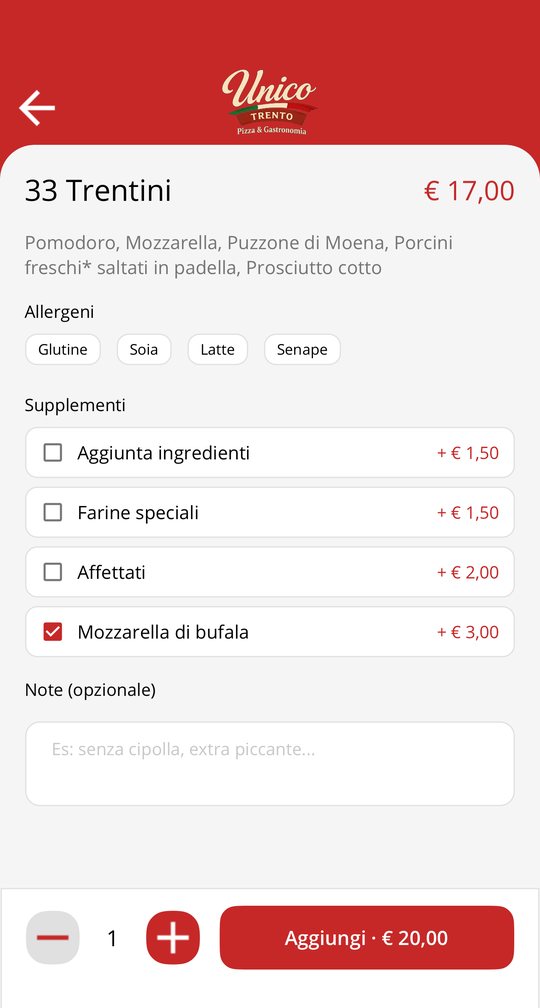
2. Personalizza la pizza
Nel dettaglio vedi gli allergeni, puoi aggiungere supplementi (ad esempio mozzarella di bufala o una farina speciale) e scrivere una nota per la cucina. Scegli la quantità e tocca Aggiungi: il prezzo si aggiorna subito.
-
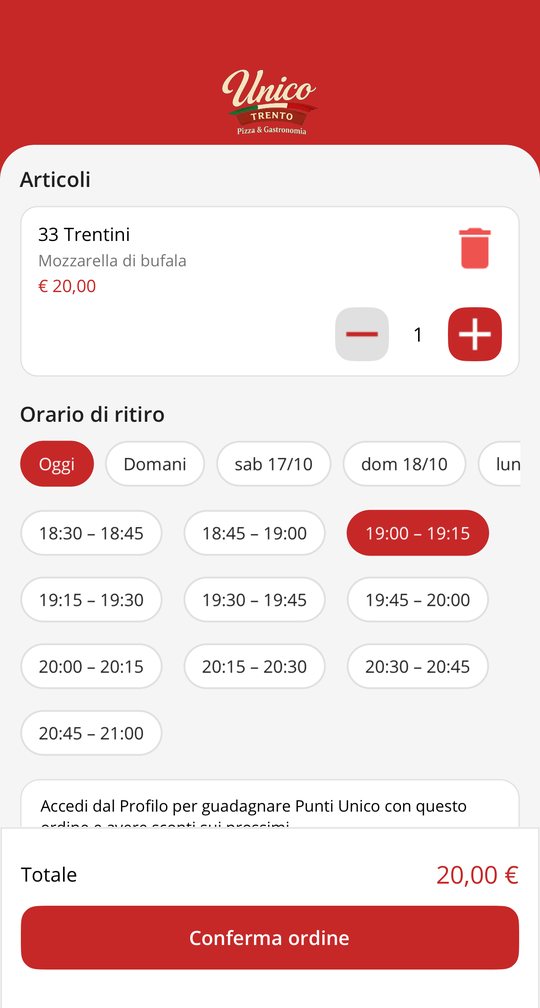
3. Scegli quando ritirare e paga
Apri il Carrello, controlla i prodotti e scegli il giorno e la fascia oraria di ritiro: vedi solo quelle ancora libere. Tocca Conferma ordine e paga con la carta nella finestra sicura di Stripe. Alla fine l'app mostra la conferma dell'ordine.
All'orario scelto passi in pizzeria, in Via Piave 38, e ritiri l'ordine. La consegna a domicilio non è disponibile.
-
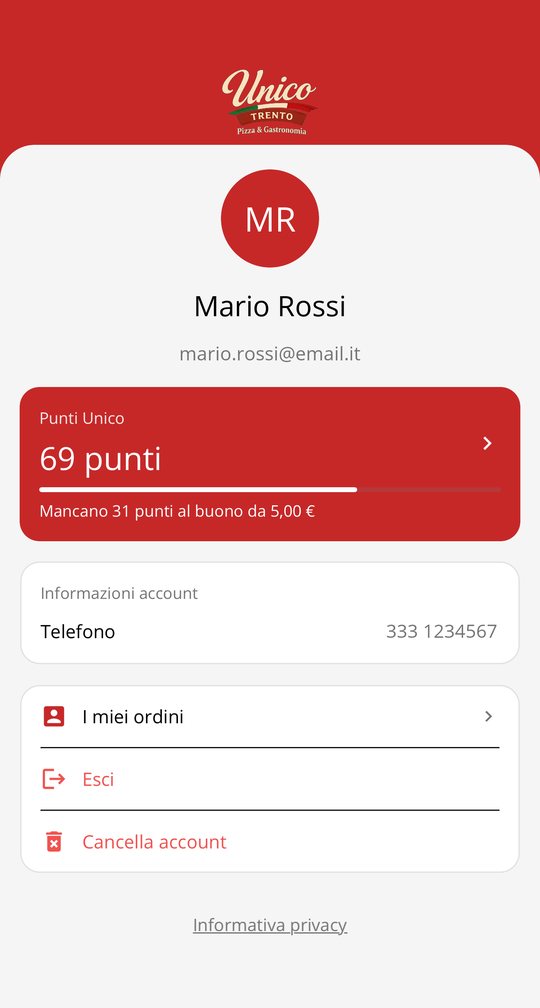
4. Crea il tuo account
Puoi ordinare anche senza account. Registrandoti dalla scheda Profilo non devi riscrivere i tuoi dati a ogni ordine e accumuli i Punti Unico.
-
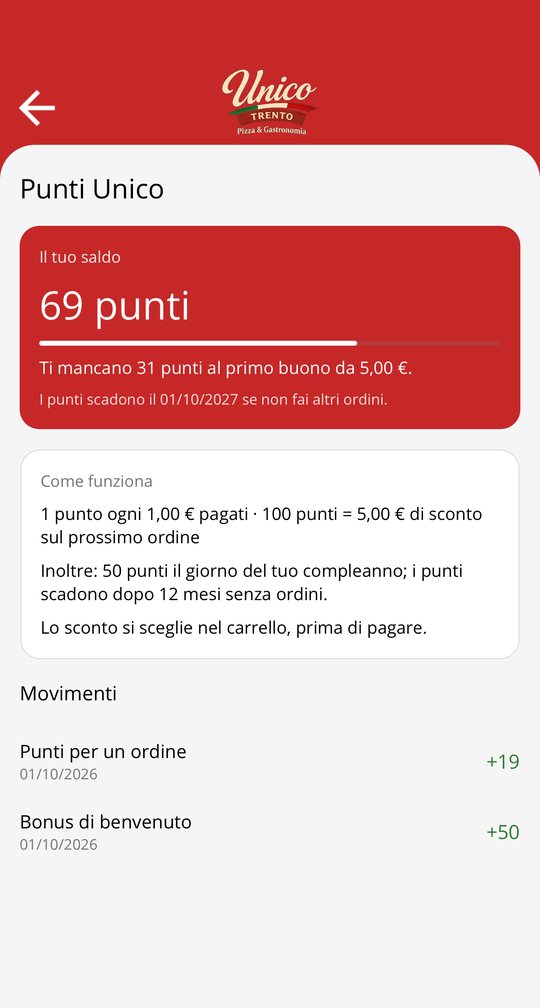
5. Usa i Punti Unico
Guadagni 1 punto per ogni euro pagato. Con 100 punti hai un buono da 5 € da usare nel carrello sul prossimo ordine. Ricevi punti anche come benvenuto e per il tuo compleanno, se inserisci la data di nascita (è facoltativa). Saldo, regole e movimenti sono nel Profilo, alla voce Punti Unico.
Domande frequenti
Non vedo fasce orarie libere
Ogni fascia ha un numero massimo di pizze: quelle piene non compaiono, e per oggi vengono mostrate solo le fasce che lasciano alla cucina il tempo di prepararle. Prova un'altra fascia o un altro giorno, oppure chiamaci.
Non vedo il pulsante + per ordinare
Gli ordini dall'app sono momentaneamente sospesi: il menu resta consultabile. Per ordinare chiamaci al numero qui sotto.
Il pagamento non è andato a buon fine
Se chiudi la finestra di pagamento o la carta viene rifiutata, l'ordine viene annullato da solo, non ti viene addebitato nulla e la fascia oraria torna libera. Puoi riprovare subito.
Voglio annullare o modificare un ordine già pagato
Chiamaci il prima possibile indicando il nome con cui hai ordinato. Se la preparazione non è ancora iniziata possiamo annullare l'ordine e rimborsare l'importo sulla carta.
Ho delle allergie
Gli allergeni sono indicati nel dettaglio di ogni prodotto. Per allergie o intolleranze importanti chiamaci prima di ordinare.
Non ho ricevuto i punti di un ordine
I punti arrivano quando il pagamento è confermato, solo se avevi fatto l'accesso al tuo account prima di ordinare. Se un ordine viene annullato, i punti guadagnati vengono tolti e i buoni usati ti vengono restituiti. I punti si azzerano dopo 12 mesi senza ordini.
Ho dimenticato la password
Nel Profilo tocca Password dimenticata? oppure apri www.unicotrento.com/recupera-password: ti mandiamo un codice via email per scegliere una nuova password.
Come cancello il mio account?
Nel Profilo tocca Cancella account oppure apri www.unicotrento.com/elimina-account. Dopo la conferma con il codice ricevuto via email cancelliamo i tuoi dati e i Punti Unico. Gli ordini restano, senza i tuoi dati, per gli obblighi fiscali.
Contatti
Unico Trento – Pizza & Gastronomia
Via Piave 38, 38122 Trento (TN)
Telefono 0461 425248 — 345 9157187
Come trattiamo i tuoi dati: informativa privacy.